
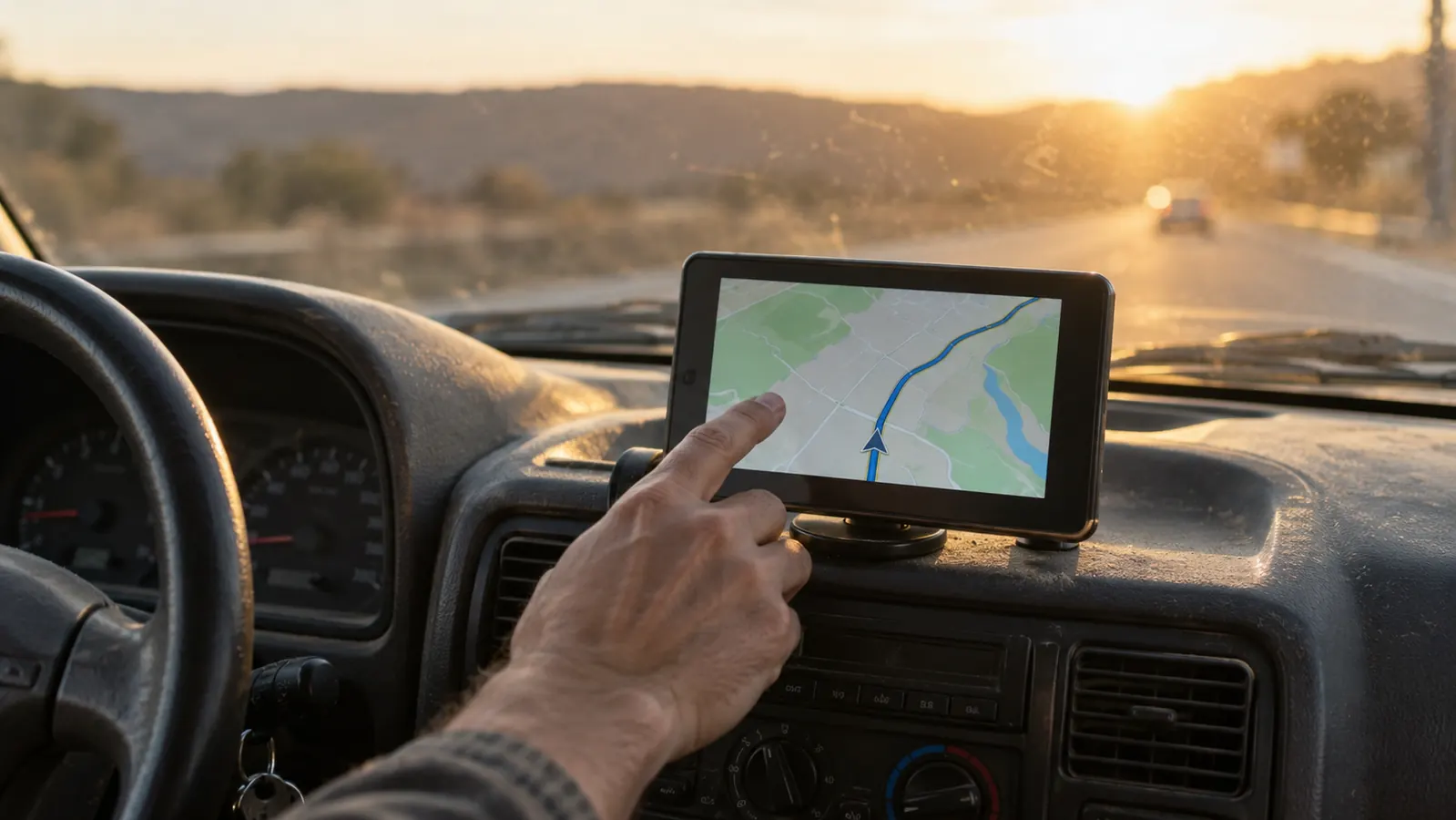
I drive a 2016 Toyota Highlander with 191,000 miles on it, and I have no plan to replace it. The engine runs, the seats are comfortable, and it carries my samples and a cold drink through another Missouri summer without complaint. What it does not have is CarPlay. The factory stereo handles Bluetooth phone calls, and that is about all it does well. The map on my phone lives in a suction cup holder near the vent, which means I am looking down at a five-inch screen whenever I need to know what comes after the next exit on US-65.
That is the problem Antika is trying to solve with its portable wireless CarPlay screen. I tested one for eight months and put roughly 12,000 miles on it, most of that on my usual seventy-mile weekday loop between Springfield and Bolivar. I did not expect a ten-inch screen stuck to a dashboard to feel as close to a factory system as it does. I also found a few things that annoy me enough that you should know about them before you order.
The Quick Verdict
The Antika portable screen gave my older Highlander the navigation and app access I wanted without a radio swap. Worth the money for drivers like me, with the caveat that the mount is not as clean as factory CarPlay and the low placement takes getting used to.
Amazon Check Today's Price →Eight months later, this is the CarPlay fix I would buy again
If your car runs fine but never got CarPlay from the factory, this portable screen gives you wireless maps, calls, and music without pulling the dash apart. Read my full review, then check today's price on Amazon.
Amazon Check Today's Price on Amazon →How I've Used It
I installed it in my attached garage on a Tuesday night with the single overhead light on. The kit includes the screen, a power cable, a dash mount pad, and the clip that holds the screen. I wiped the dash with an alcohol pad, pressed the mount down on the flat section left of my factory display, and waited the suggested hour before attaching the screen. Routing the power cable took most of my time because I wanted it tucked behind the trim instead of dangling across the dashboard. With a trim tool from my socket set and fifteen minutes of patience, the cable disappeared behind the glovebox and reached the 12-volt socket.
Once powered, pairing took less than two minutes. I selected the Antika screen in my iPhone's Bluetooth settings, tapped through the setup prompt, and the home screen appeared. Since then it connects on its own. I settle into the seat, start the Highlander, and by the time I have shifted into drive the map is ready. That sounds like a small thing, but after two years of plugging in a lightning cable and sliding my phone into a holder, it is the feature I notice every single day.
My normal week is two trips a day over the same stretch of US-65, with two or three overnight runs each month. The screen lives on the dash permanently. In eight months it has not fallen off, not even on a humid afternoon when the inside of the windshield was almost too hot to touch. One morning in September, a slowdown ahead on the highway showed up as a red line on the map before I reached it. I took an exit I knew and saved myself the better part of twenty minutes sitting in brake lights.
What I Like Most After Eight Months
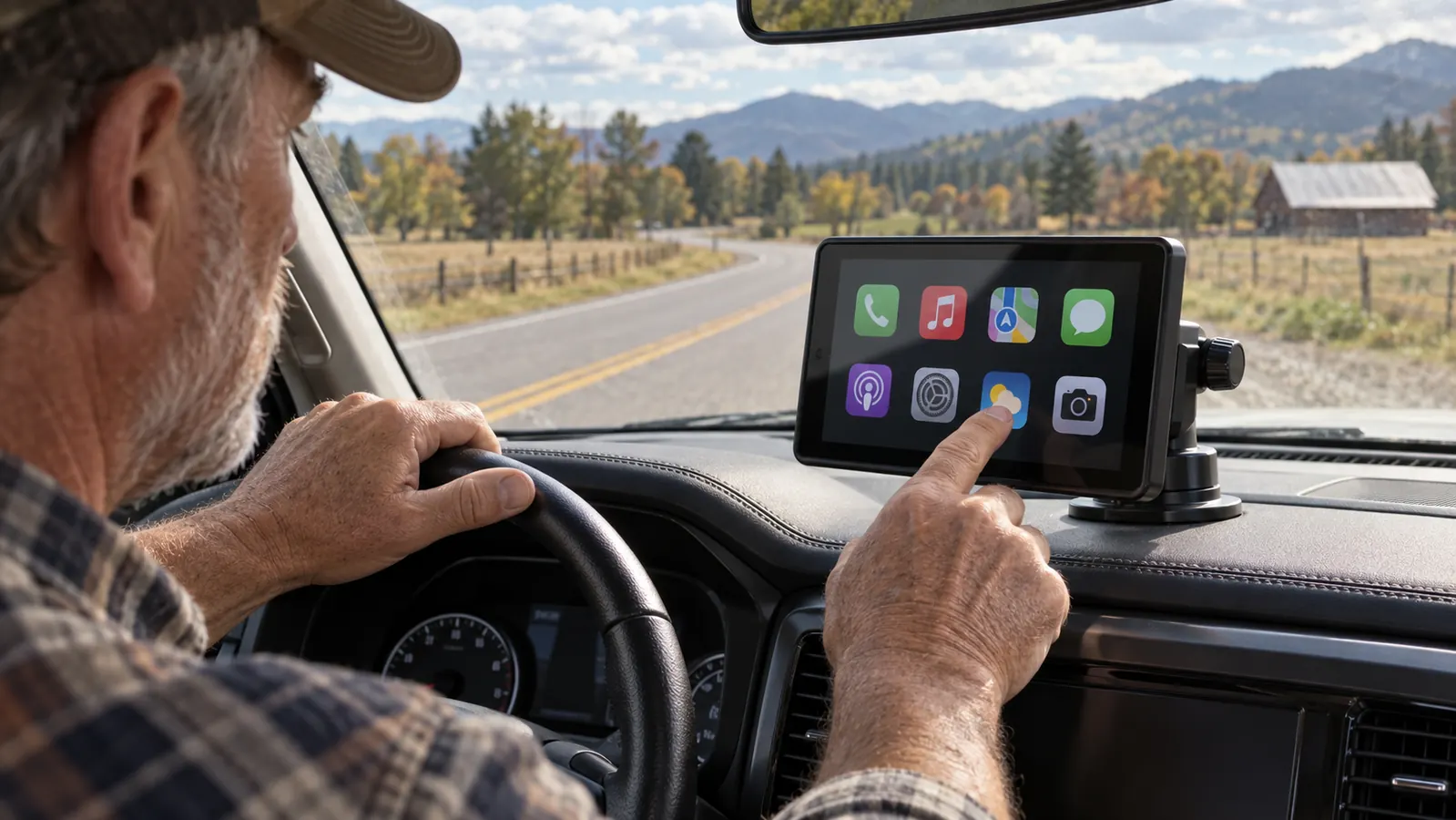
Start with the size. The screen measures 10.26 inches diagonally, and that changes how you use navigation. With my phone in the old holder I had to glance down and squint to catch turn arrows. On this screen I can see the next maneuver, the road name, and the speed limit without reading glasses. The map stays readable with the sun low behind me, and it does not wash out the way my phone screen did in the afternoon glare.
The wireless connection is the second big win. My phone stays in my pocket, which means I no longer leave it on the passenger seat and reach across the car when I stop. There is no cable to plug in, no holder to slide the phone into, and no tangle of wire between the center console and the vent. I get in, the screen shows the CarPlay home screen, and I am done. I have missed that moment maybe twice in eight months, and both times the fix was as simple as turning the screen off and back on.
Because the Antika supports both Apple CarPlay and Android Auto, it is not locked to the phone I own today. That matters to me because I keep cars longer than I keep phones. The Highlander may still be on the road when my next phone is something different. A portable screen like this costs a fraction of what a new factory radio would, and it is ready for whatever phone I bring to it.
The voice controls work better than I expected for a product in this price range. I use them most when I am on the interstate and do not want to take my eyes off the road. I can ask for a destination, tell it to pick a faster route, or call a customer without hunting through menus. It is not perfect, and every once in a while the voice hears me wrong, but it is still much safer than picking up the phone.
Where It Falls Short
Let me be honest: it is not factory CarPlay. The screen sits lower on the dash than a built-in display would, so my eyes move a little farther off the road when I check the map. I solved most of that by leaving the screen on map view and using the voice button for everything else. Still, a driver who likes to poke through menus while moving will not have the same tidy experience they would get from a system installed at the factory.
The mount is secure, but it does not adjust quite the way I want. The screen tilts up and down and swivels side to side, but it does not slide closer to me. In the Highlander, the dash is far enough away that I sometimes wish I had another inch or two of reach. If your car has a shallow or curved dash, try the mount before you trust it. The adhesive pad has held fine for me, but adhesive bonds vary with surface texture and temperature.
Dusk glare is the one thing that still bugs me. Most of the day the screen is bright enough. When the sun is low and sitting directly behind the car, the reflection off the windshield makes the top edge of the screen hard to read until I tilt it down. I have learned to live with it, but I would not call it perfect. The screen also picks up fingerprints quickly, and I find myself wiping it about once a week with a microfiber cloth.
What I Liked
- Adds wireless CarPlay and Android Auto to any car with a 12-volt socket
- Large, bright 10.26-inch screen that is easy to read at a glance
- Reliable auto-connect after an easy one-time setup
- No permanent modification, so it can move to a future vehicle
- Voice controls reduce the need to touch the screen while driving
Where It Falls Short
- Low dash placement means your eyes leave the road a little farther than with a factory unit
- Mount does not slide closer to the driver
- Dusk glare can make the top of the screen hard to read
- Not as visually clean as a professionally installed radio
Eight months and roughly 12,000 miles in, the screen has never fallen off the dash, never failed to connect for more than a minute, and never once made me wish I had spent the weekend swapping the factory radio.
Mounting and Power Details That Matter
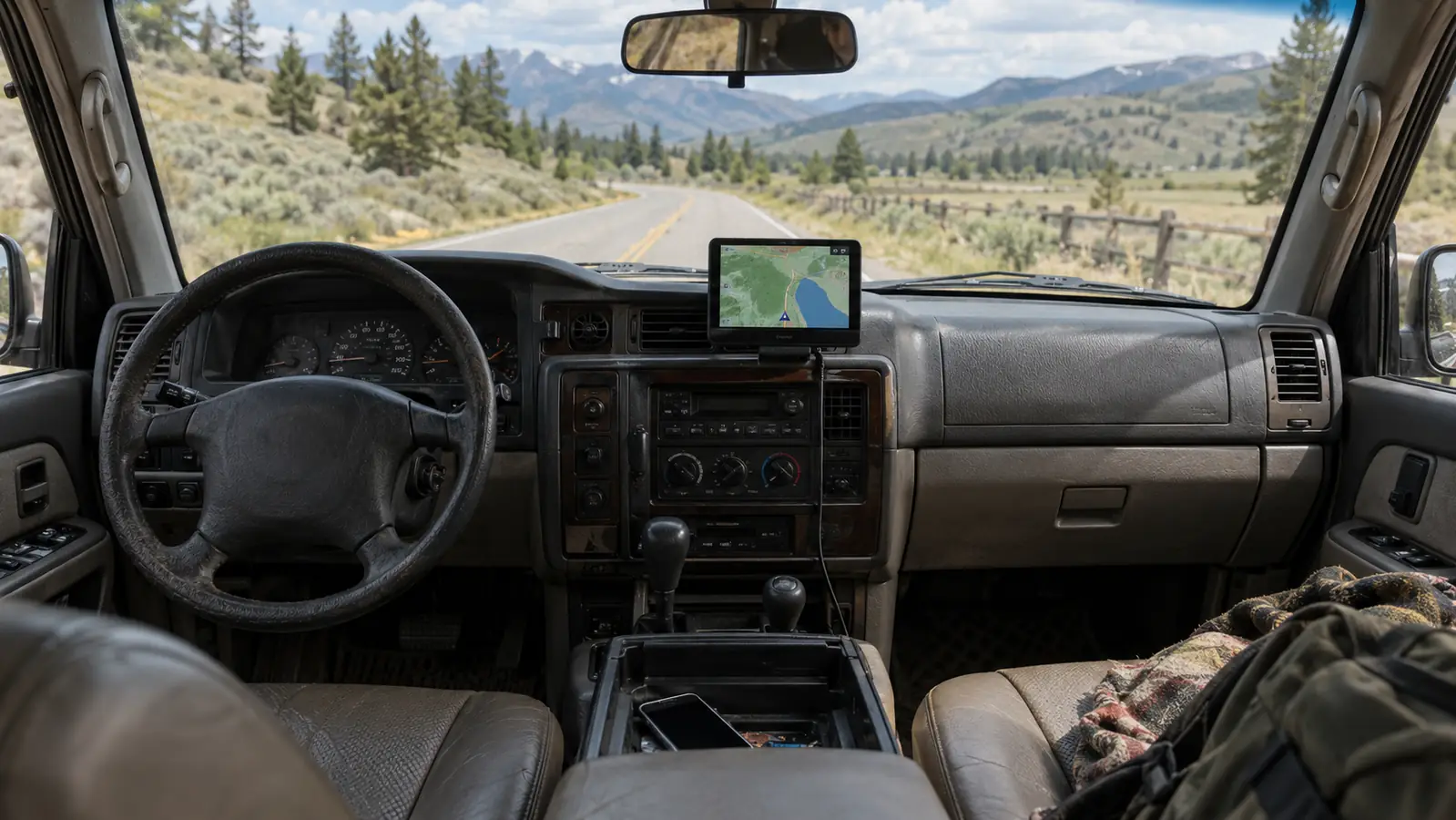
Where you put the mount matters more than which screen you buy. I tried two spots before settling. My first choice was close to the A-pillar, thinking it would be easy to see. That put it too far from my natural sight line and left the power cable visible across the corner of the dashboard. I moved it to the flatter section left of the factory display, and that has been the right home for it. It sits just low enough to stay out of the windshield defroster airflow, yet high enough that I can read the next turn without ducking.
The included power cable is long enough to reach the 12-volt socket in most vehicles. In my Highlander, the socket under the dash meant the cable had to make one sharp bend behind the glovebox. I used a couple of small adhesive cable clips to hold it in place along the seam of the dash trim. That kept it from sliding down against my knee. If you have never trimmed a car panel before, this is an easy first project, and a plastic trim tool is cheap. You are not cutting or splicing anything.
One caution from my own experience: the adhesive pad needs a clean surface and a little patience. I installed mine in the evening, left the mount pressed in place overnight, and attached the screen the next morning. That hour of waiting is not just a suggestion. A friend of mine ignored it, hung his screen right away, and had to redo the mount a week later when the pad let go on a hot day. Follow the directions and give the pad time to bond.
Is It Better Than a New Radio?
That is the question I asked before I bought this, and the answer depends on your car and your tolerance for trim work. A new CarPlay radio installed by someone who knows what they are doing will look cleaner and sit where the factory intended. It also costs more, takes more time, and can introduce its own headaches with steering wheel controls, backup cameras, and wiring adapters. My Highlander has 191,000 miles. I was not ready to invest in a radio that would stay behind if I traded the car next year.
The Antika screen solves the part that actually bothered me: making the car feel useful again without a major project. I would not tell someone with a newer car to replace a working factory CarPlay system with this. But if your stereo is from the era when Bluetooth for calls was considered premium, this is a far easier way forward. You can install it on a Saturday morning in your garage, and when the day comes that you sell the Highlander, the whole thing comes out in ten minutes and leaves no trace.
Who This Is For
This is for the driver who likes their car and wants to keep it for a few more years. It is for the person whose daily commute includes a stretch of road where the map is more useful than memory. It is for the person who has a drawer full of old phone holders and cables and is tired of all of them. If you can plug in a dash cam or a phone charger, you can install this screen. It is also for someone who switches cars or phones every few years, because the same unit can move with you.
It is especially useful for older drivers who find small phone screens harder to read. My eyes are not what they were twenty years ago, and the larger map on the Antika makes a real difference on unfamiliar routes. I do not have to hold my phone closer or hunt for my reading glasses when I am sitting at a stoplight. That alone has made my overnight trips less stressful.
Who Should Skip It
If you want a seamless look, with the screen built into the dash and the controls working exactly like the rest of the car, buy a proper head unit and pay someone to install it. A portable screen will always be an add-on, and you will always be able to see that it is an add-on. That is not a failure of the Antika unit. It is just the honest tradeoff of a product that does not require cutting into your car.
Skip it if your car already has CarPlay or a good touchscreen navigation system. You will not gain enough to justify the clutter of another screen on the dashboard. Skip it if you hate having anything mounted on your dash, or if your vehicle has a textured dashboard surface where an adhesive pad will not hold well. And skip it if you expect the audio quality to change. This is a screen, not a sound system upgrade. It does not make your speakers better, and it will not turn a weak factory radio into something it is not.
My bottom line is simple. The Antika wireless CarPlay screen did what I hoped it would do. It made an older car feel newer without a big bill and without a weekend of working with wiring harnesses. I would buy it again, and I have already recommended the same approach to two other people with older cars. It is not perfect, but it is honest, useful, and easy to live with, and after eight months that is the best thing I can say about any gadget in my dashboard.
Ready to bring CarPlay to your older car without the expensive radio swap?
The Antika portable screen is the fix I kept in my Highlander for eight months. If you want a larger map, wireless connection, and no permanent installation, check today's price on Amazon.
Amazon Check Today's Price on Amazon →