
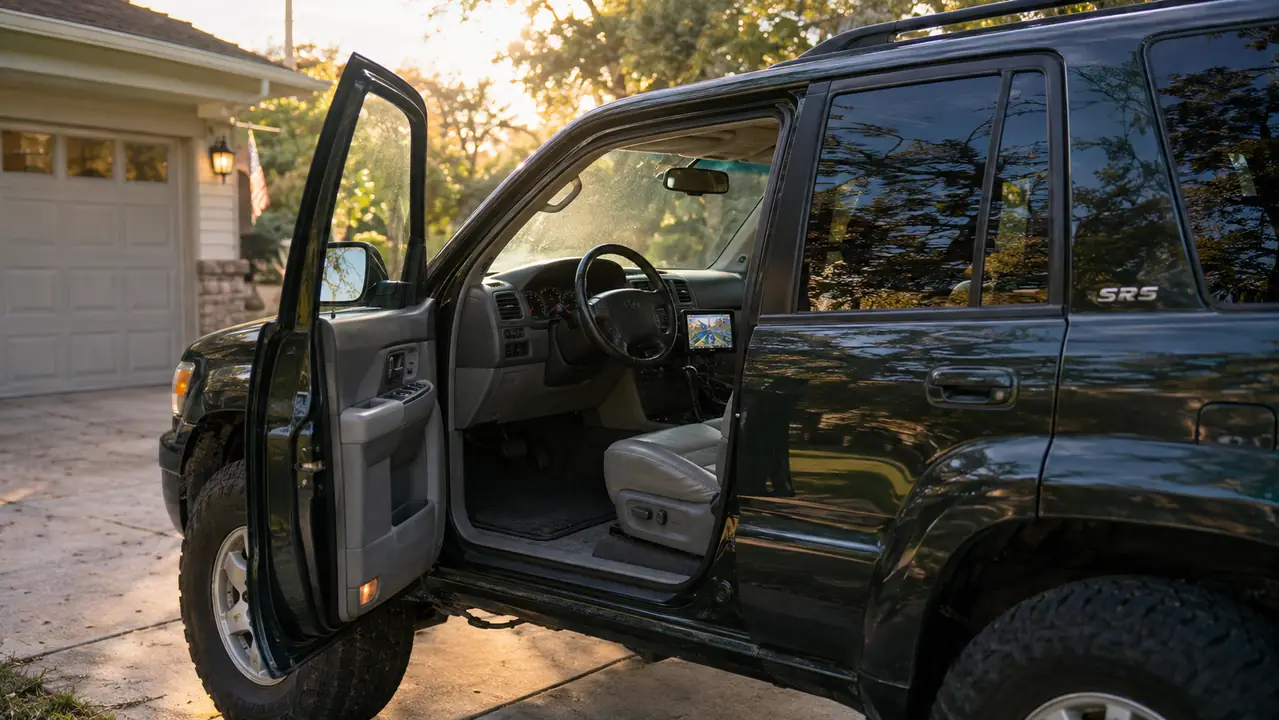
The worst part of my 2016 Toyota Highlander has nothing to do with the engine. The engine has 191,000 miles and still fires up every morning. The worst part is the factory radio: it pairs with my phone for calls, but it has never shown me a map. For two months I weighed a new head unit against one of those portable screens that plug into the 12V socket. I went with the Antika wireless CarPlay screen, and after about four months of daily driving on US-65, I have a clearer picture of what the listings do not tell you.
Most reviews for these screens are written after an hour in a driveway. I have used mine through a Missouri summer, in glare, in rain, and on the same 70-mile stretch of two-lane highway nearly every working day. My job as an outside sales rep puts about 30,000 miles a year on this car, so a CarPlay screen is not a dashboard toy. It is the difference between fumbling with a phone in my lap and keeping my eyes on the road. That is the only standard that matters.
The Quick Verdict
The Antika screen earned its place in my car, but not without compromise. It is a strong value for anyone who wants CarPlay without replacing the factory stereo, as long as you can accept a mount with a little shake and a setup that is fussier than the box suggests.
Amazon Check Today's Price →The Honest Short Version
In four months, this screen has not failed me once. It also has not turned into a factory head unit. If you want the whole story, keep reading, then let today's price on Amazon decide whether the trade-offs are worth it.
Amazon Check Today's Price on Amazon →How I've Used It
I mounted the Antika screen in late spring and have left it in place ever since. On a typical workday I back out of the driveway, the screen connects while I am still on the side street, and by the time I reach the first stop light the map is ready. I use it for audio and phone calls every day, and for mapping on most days. It has become part of the car in a way I did not expect from a gadget that hangs on the dash.
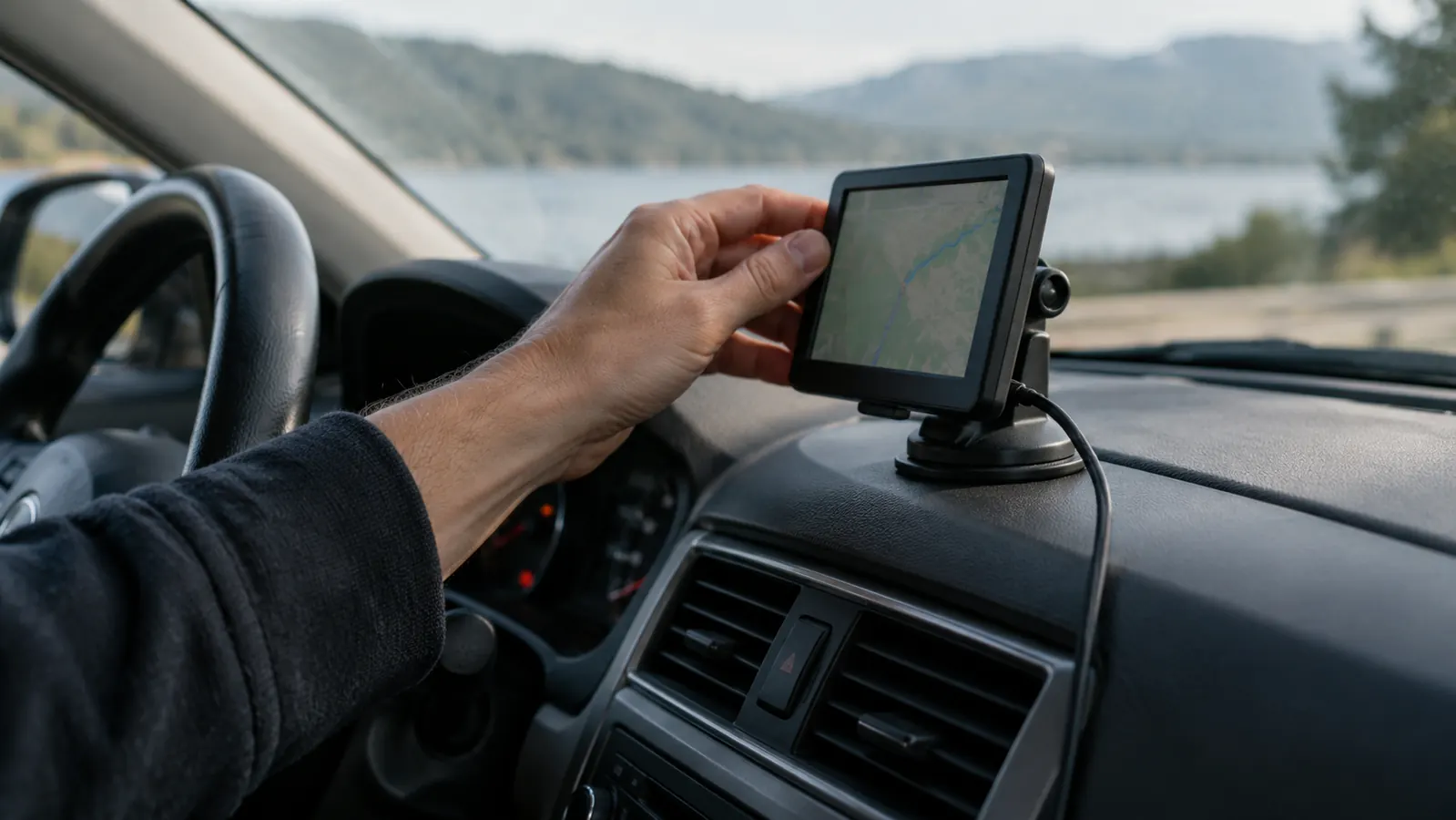
To be clear, this is not a permanent installation. I used the included mount and the long power cable that came in the box, and I ran the cable down to a 12V socket so it stays out of the way. The screen is attached the same way every portable screen is attached, with a mount that grips the dash. It has held firm through heat and rough pavement, which is more than I can say for some phone mounts I have owned.
What Nobody Tells You Before You Buy One
The first hidden thing is that a portable CarPlay screen is really several products joined together: a sharp display, a small computer, a mount, a power cord, and a Bluetooth radio. Any one of those can be weak, and no five-star review explains which part matters. With the Antika screen, the display is the strong part. The included mount is the weakest part. That is why so many reviews sound different from each other.
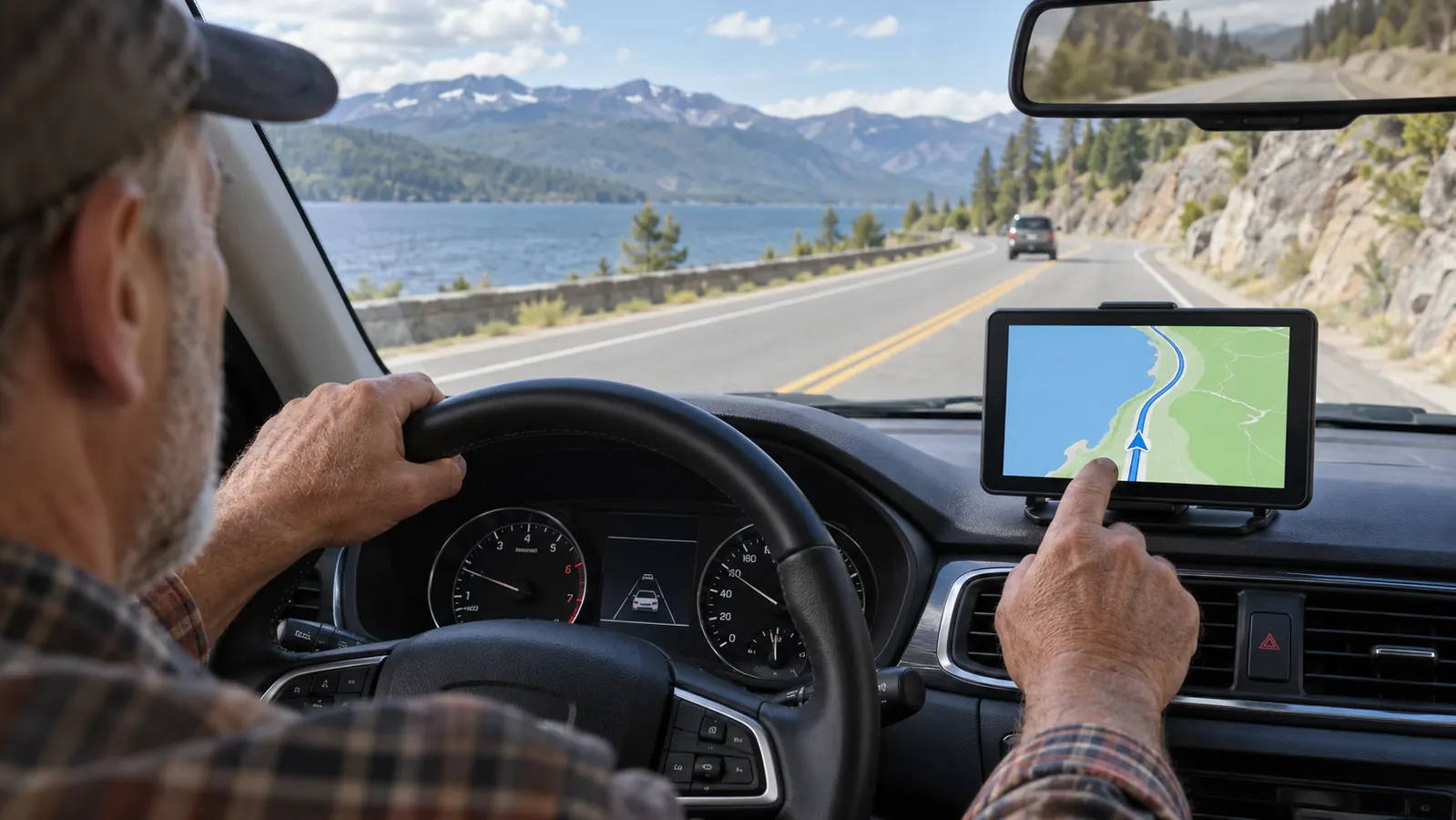
The second hidden thing is windshield real estate. A screen like this hangs low on the dash or off a vent, and it will cover something. On my Highlander I set mine in the only spot that did not block the road, just left of the center stack. It is close enough to reach and far enough to the side that it does not hide a mirror. I still notice it in my peripheral vision. That is a trade-off you cannot judge from a product photo.
The Setup Reality
The box promises wireless CarPlay, and after the first day mine has worked well. But the first day was not as clean as the quick-start card suggests. The screen connects to the phone through two different wireless links, one for Bluetooth and one for data, and my iPhone wanted to treat them like separate devices. It took me two tries and a few minutes of patience to finish the pairing. Once the phone remembered the screen, it has connected on its own almost every morning since.
The power supply matters too. The unit needs constant power, so it comes with a 12V adapter and a long cable. I had to route the cable carefully so it would not dangle near the shifter. That took another ten minutes and is not in any listing video. None of this is hard, but it is more than the zero-effort setup the product page implies.
One thing that surprised me is how much the screen heats up. After two hours of navigation in August sun, the back of the unit was warm to the touch. It never shut down or glitched, but I mention it because dashboard-mounted gadgets live in tough conditions. If your car sits in an airport lot all day in summer, do not leave the screen facing the sun if you can avoid it.
What It's Actually Like to Drive With It
Once it is paired and placed, the screen does the job. Apple Maps and Waze show up in a size I can actually read. I set the phone aside, ask Siri to start a route, and keep my hands on the wheel. Calls sound clear through the Highlander's factory speakers, and when a text comes in, the screen reads it aloud. This is the whole reason I bought it, and it has not let me down.
The display quality is genuinely good. It is sharp from arm's length, bright enough in direct sun, and the night mode dims far enough that it does not wash out the windshield at dusk. I drive into the sun often, and I have not once had to lean forward to read a street name. That alone separates it from cheap screens I have tried.
The area where it falls short is the small built-in speaker. It is fine for turn-by-turn voice prompts, but it sounds thin for calls and music. I solved that by playing audio through the Highlander's Bluetooth and using the screen mainly as a display. That works, but it is not the seamless setup a wireless CarPlay purist would expect.
The Downsides That Don't Show Up in the Specs
The strongest case against these screens is the mount. The included mount holds the Antika screen steady at a stop, but on Missouri's rougher two-lane roads I can see a slight vibration in the maps. It never shakes enough to be unreadable, and it does not annoy me as much as I expected. It is simply not as solid as a stereo bolted into the dash. If little vibrations bother you, that is reason enough to keep shopping.
Steering-wheel controls are the second compromise. In my Highlander, the volume buttons on the wheel do not talk to the Antika screen. I use the controls on the screen itself, which takes some getting used to. If factory steering-wheel controls are important to you, check how this unit works in your specific car before you buy.
Also know that a portable screen will not show your factory backup camera or parking sensors. The screen is a CarPlay companion, not a replacement for the car's own systems. I did not expect it to, but I have seen buyers assume otherwise. If your only problem is an outdated stereo, this is fine. If you are hoping for backup-camera integration, this is the wrong product.
One more practical note: wireless CarPlay pulls more power from the phone than normal Bluetooth. On a long trip I plug the phone into the factory USB port or a second charger, or the battery slowly drops. That is not a flaw in the Antika screen; it is the nature of wireless CarPlay. But it is part of the real-world experience.
What I Liked
- Large, sharp screen that is easy to read without reaching for glasses
- Wireless CarPlay connects reliably after the initial setup
- Calls and audio work with the existing factory radio
- Adds navigation and messaging without replacing the head unit
- Removable and easy to move between vehicles
Where It Falls Short
- Included mount allows a slight shake on rough roads
- Small built-in speaker sounds thin
- Steering-wheel controls on my Highlander do not adjust it
- Setup and cable routing take more than five minutes
- Screen stays warm after long use in the sun
The honest test of a gadget like this is not whether it is perfect. It is whether you stop thinking about replacing it. Three months in, I stopped.
What I Wish I'd Known in the First Week
The first thing I learned is that placement is the entire game. I spent a full evening trying the screen in three spots: left of the center stack, low near the passenger vent, and high on the windshield. The high spot had the best viewing angle but blocked too much glass. The passenger vent kept the screen cooler but was out of reach. I finally left it in the spot that split the difference. Give yourself half an hour to do this. Do not blame the screen if the first spot you try is wrong.
Second, place it within easy reach. You will not only look at this screen; you will occasionally tap it to switch apps or answer a call. If you mount it too far to the passenger side, you will be stretching across the seat at speed, which is not safe. Mine sits just close enough that I can reach it without leaning. That turned out to be the most important decision I made.
The Audio Question Nobody Mentions
Audio is the compromise I keep coming back to. The little speaker handles prompts without complaint, but it is not a stereo speaker. If you are used to music through a proper car stereo, the screen will sound small. My solution was to keep the Highlander's audio on the factory system and treat the screen as the controller for what plays. That works, but it is one more quirk than a built-in head unit would have.
I also learned to set the volume on the screen lower than I thought I needed. When both the screen and the factory radio make noise, you get a strange echo. It took me about twenty minutes to find a balance that did not double every prompt. Once I found it, I stopped thinking about it entirely.
Who This Is For
Buy the Antika screen if your car is in good shape and your only complaint is the missing CarPlay. Buy it if you are not ready to pay a shop to remove the dash and install a new stereo. Buy it if you travel for work and switch between a personal car and a rental, because the whole setup can move in a couple of minutes. Buy it if reading turn-by-turn directions on a phone has become genuinely difficult.
You should also buy it if you are happy with your factory radio otherwise. That was my situation exactly: the Highlander's sound is fine, the tuner works, and I did not want to lose the clock and the physical volume knob. A portable screen gives me the modern features without taking away the old ones I still like.
Who Should Skip It
Skip it if your real complaint is sound quality, not connectivity. A portable screen does nothing to improve audio. You need a new stereo with upgraded power for that, and no amount of CarPlay will fix a speaker system you already dislike.
Skip it if you cannot tolerate clutter or a visible cable. There is no way around the power cord on a portable screen, and even a careful install leaves a small mount on the dash. Skip it if you expect everything to work exactly like a factory unit, because the small compromises, the shake, the separate volume control, and the warm case will eventually bother you.
And skip it if your car already has wired Android Auto or Apple CarPlay in a usable form. Another screen just duplicates what is already on the dashboard. The only reason to add one is when the factory system is as dated as the radio in my 2016 Highlander.
Alternatives I Considered, So You Don't Have To
You have three realistic options if your car predates CarPlay. The first is to do nothing and keep using a phone mount. That is what I did for two years. It worked until the phone overheated on a sunny dash, slid off the magnetic mount on a rough patch, or died during a long route. I still keep a basic phone mount in the car as a backup, but I do not want to go back to it as the main setup.
The second option is a new head unit with CarPlay built in. It is the cleanest solution and the one every car audio shop will recommend. It is also the most expensive and the most invasive. You have to remove the factory radio, buy the correct wiring harness and dash kit, and either pay for labor or spend an afternoon doing careful work yourself. In my Highlander, that felt like too much surgery for a feature I wanted, not a problem I had.
The third option is a less expensive portable screen with a smaller display and wired CarPlay only. I have owned one of those in the past, and it worked, but the cable made the phone part of the mount and the small screen was hard to read in daylight. If your budget is tight, that route can be fine. If you spend as much time in the car as I do, the larger wireless screen is worth the difference.
That is how I ended up with the Antika. It splits the difference between the two expensive options. It is not as clean as a head unit and not as cheap as a phone mount, but it gives me the function where I most needed it and it did not require me to modify the car. For my situation, that was the right trade.
The Head Unit Question
This brings me back to the question in the headline. Should you buy one of these screens instead of replacing the head unit? If you want the cleanest result, a new head unit is the better product. It is bolted in, wired to the car, works with steering-wheel controls, and usually sounds better. I will not pretend a stick-on screen matches that.
But a head-unit install is also a project. The dash has to come apart, the wiring has to be matched to the vehicle, and a bad installation can create rattles or annoying electrical problems. That was a real concern for me. I am comfortable with a socket set, but not with cutting into the wiring of the only car I drive for work. The Antika screen avoided that risk completely.
After about three months, I realized I had stopped thinking about the head unit entirely. The screen does not do everything a new stereo would, but it does the part I wanted, which is a large, readable map and hands-free phone use. For me, that made it the better trade. Your answer depends on how much you value a perfectly clean dash compared to a job that takes no tools and can be undone in ten minutes.
Would I buy it again? Yes, and I am not someone who gives that answer easily. I have bought the wrong gadget more than once, and I usually know within a week. The Antika screen is a good product with honest flaws. I would buy it again, and I would still tell you the mount shakes and the speaker is thin. What I would not do is spend a weekend wrenching out a factory radio I did not hate. This screen let me keep the car I trust and add the one feature it was missing. That is worth a lot.
My Verdict After Four Months
If your car is otherwise fine and you just want CarPlay on a screen you can actually read, the Antika wireless screen is worth a serious look. The trade-offs are real, but for me they were easy to live with. See today's price on Amazon and decide for yourself.
Amazon Check Today's Price on Amazon →